Secrets Management Without Putting Keys in Git
A practical guide to storing, scoping, scanning, rotating, and revoking application secrets without committing real keys to Git.
By Administrator
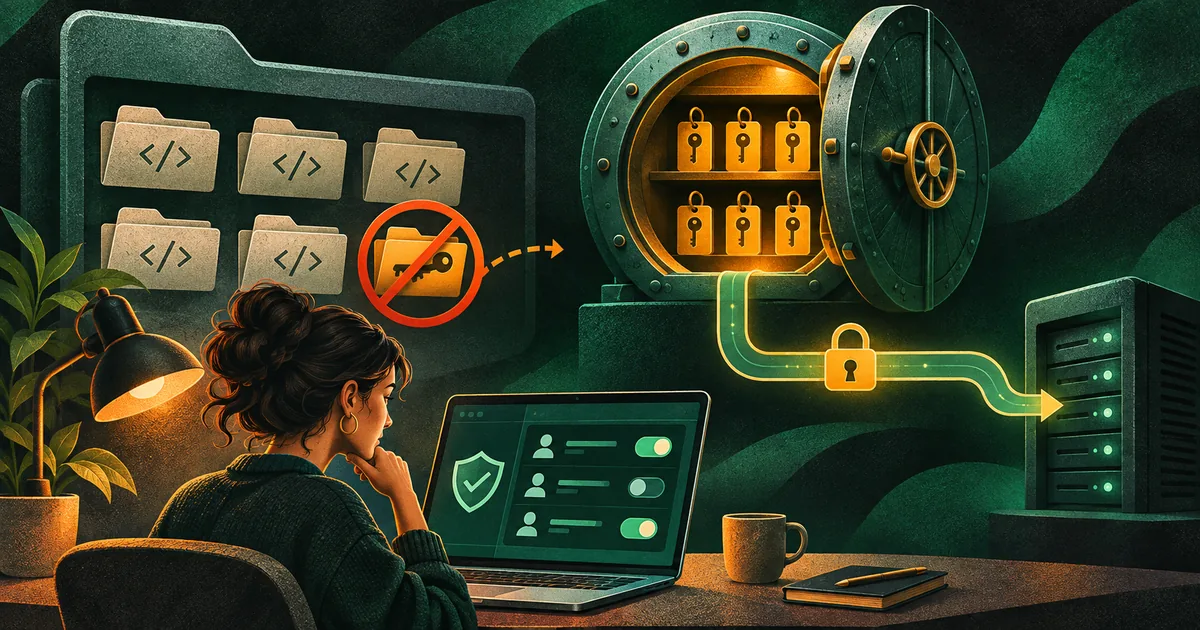
A secret in a Git repository is easy to misunderstand. The file may be private, the commit may be old, and the key may appear inside a test fixture. Yet anyone with access to the repository history, a copied archive, a build log, or a deployed bundle may be able to reuse it. Removing the line from the latest commit does not make the credential safe again. The safer workflow starts before a key is created and continues until it is revoked.
The OWASP Secrets Management Cheat Sheet describes a lifecycle that includes creation, rotation, revocation, and expiration. GitHub secret scanning documentation explains detection and alerts for exposed credentials. Scanning is valuable, but it is a backstop. A team also needs a repeatable way to give its application the right secret at runtime without making the source tree its storage place.
Identify what is actually a secret
Typical examples include database passwords, API tokens, signing keys, private certificates, and service-account credentials. A public API endpoint or publishable client identifier may not be secret, but still deserves configuration management. Record each credential's owner, purpose, permissions, expiry, and rotation method. If nobody knows where a key is used, revoking it becomes dangerous; if it has no owner, it may remain active after a project ends.
Separate environments. Development credentials should not access production data. A test fixture can use a clearly fake value with the same shape as a real token. Avoid copying a production key into a local file merely to make a demo work. Keep example configuration in a checked-in template with placeholders and document the required variable names. Developers should be able to start the app without searching chat messages for the current password.
Choose a store that matches the deployment
For a small service, environment injection from a protected deployment platform may be enough. A larger system may use a dedicated secrets manager with access policies, versions, audit logs, and rotation support. The AWS Secrets Manager best-practices guide recommends limiting access and avoiding hardcoded secrets. The specific product matters less than the boundary: the repository stores code and non-sensitive configuration; the runtime receives only the credential it needs.
Protect the path into the runtime. Limit who can edit production secrets, restrict CI jobs that can read them, and avoid printing them in logs. A masked CI variable can still leak if a script transforms or posts it somewhere. Review third-party actions and build scripts before granting a secret to them. Keep the build process and deployment environment separate where possible, so a public preview job never receives production credentials.
Give each key the smallest useful authority
A single all-powerful token shared by development, staging, and production creates a large blast radius. Prefer service-specific keys with narrow scopes and separate identities for each environment. If a worker only sends emails, it should not administer the entire account. If an application only reads a storage bucket, it should not have delete permission. The OWASP guidance emphasizes least privilege and reducing reuse when creating secrets.
Write down the expected failure behavior. If the secret is missing, the app should fail clearly during startup or disable the dependent feature with a visible health signal. It should not silently fall back to a default admin password. If the credential expires, monitoring should alert the owner before users discover the outage. A secret is operational infrastructure, not a static string.
- Create a narrowly scoped credential for one environment.
- Store it in an approved runtime secret store.
- Grant only the service and operators who need it access.
- Check logs and repository history for accidental exposure.
- Rotate and verify the new credential in a controlled rollout.
- Revoke the old credential and record the outcome.
Catch mistakes before and after a push
Use a local pre-commit scanner as a prompt to stop and inspect a suspicious change. Use repository scanning and push protection where available. Review unusual binaries, archives, environment files, and screenshots too; credentials are not limited to lines of code. Keep a small allowlist for known fake test values and review it regularly. Excessive false positives can make people ignore alerts, while a scanner that claims perfection creates false confidence.
Verify the negative case with a harmless synthetic key. Try to commit it in a disposable test repository and confirm that the expected alert or block appears. Then check whether your incident runbook explains what to do when a real credential leaks. A tool is useful only when someone knows how to interpret and act on its signal.
Respond to a leak as a credential incident
If a real key reaches Git, revoke or rotate it first. Determine its scope and recent use, inspect provider logs for abuse, and preserve an incident record. Removing the current file or rewriting history may reduce future exposure, but copies and forks can remain. The credential itself should be treated as compromised. Communicate with affected owners without pasting the secret into another channel.
Consider an illustrative small SaaS team that accidentally commits a payment-provider test key. The developer removes the file in the next commit and assumes the issue is fixed. A safer response identifies whether it was truly a test key, revokes it, checks its permissions and usage, moves the replacement into the deployment secret store, and scans the repository history. This hypothetical example shows why file deletion and credential revocation solve different parts of the problem.
Make rotation a routine, tested change
Rotation often fails because the team cannot identify every consumer. Keep an inventory of services and jobs that read each secret. Where the provider supports overlapping credentials, introduce the new key, deploy consumers, verify their behavior, then revoke the old key. Where overlap is impossible, plan a short maintenance path and rollback. Dynamic or short-lived credentials can reduce persistent exposure when the platform supports them, but they still need monitoring and revocation.
Review secrets when a teammate leaves, a vendor changes, an environment is retired, or a repository becomes public. Remove unused credentials rather than merely disabling their code paths. A simpler secret inventory is easier to secure and recover than a growing collection of forgotten keys.
Practical checklist
- Inventory each credential, owner, scope, and environment.
- Keep real values out of source, examples, and build artifacts.
- Use a runtime secret store and narrow access policies.
- Keep production credentials out of preview and test jobs.
- Scan locally and on the repository, then review alerts.
- Fail safely when a required secret is absent.
- Rotate leaked keys before cleaning Git history.
- Test rotation and revocation as operational procedures.